Executive dashboard
Leadership can see active RFQs, open quotes, overdue tasks, order processing, monthly inquiry volume, task workload by user, inquiry funnel status, and client location patterns from one screen.

ThreeDVC needed more than a contact form or spreadsheet tracker. We built a custom RFQ operating system for inquiry intake, technical product specs, vendor quotes, client technical and commercial proposals, purchase orders, AI-enhanced compliance checks, order processing through shipment, tasks, reporting, notifications, Outlook, OneDrive, RAG retrieval, and admin control.
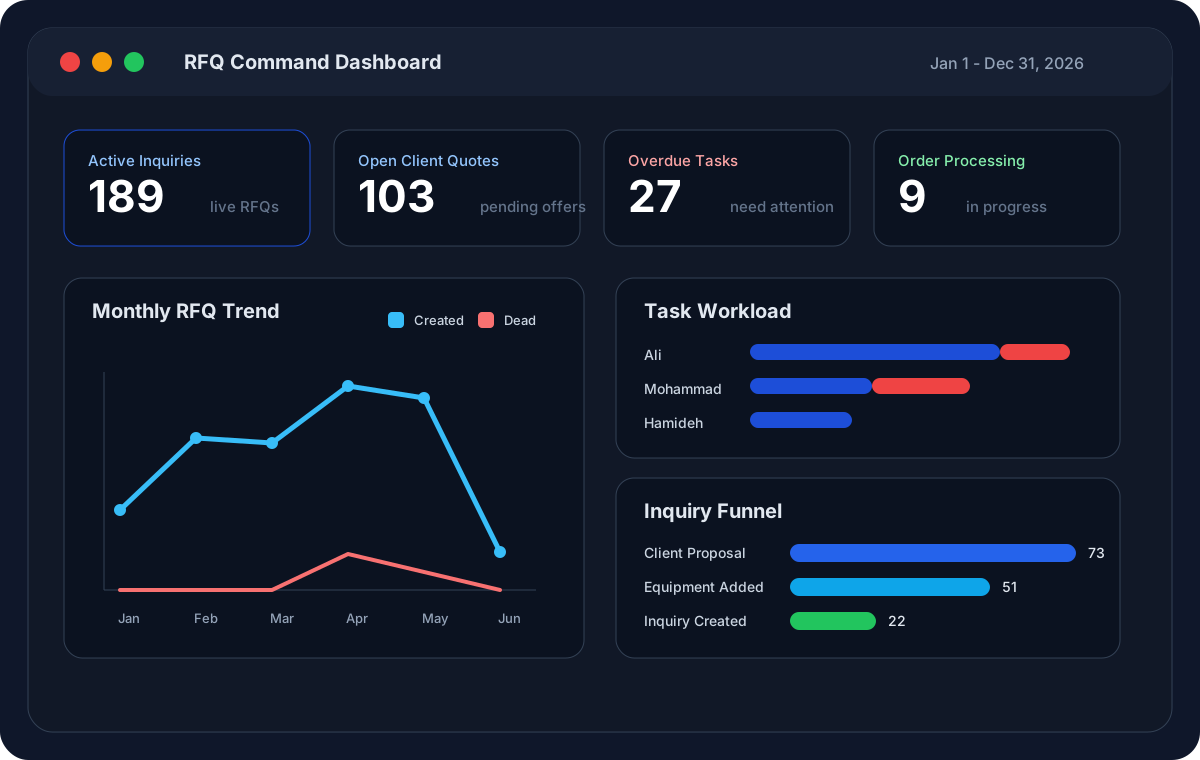
189
Active inquiries
103
Open client quotes
522
Client records
6
Products managed
The platform turns fragmented RFQ work into one connected workflow. Every screen is designed around reducing manual follow-up, preserving quote history, and giving managers an accurate view of what is moving and what is stuck.
Create inquiry from manual entry, Outlook email, or AI-assisted intake.
Request vendor quotes, receive responses, attach files, and compare revisions.
Propose technical and commercial offers to the client with source files preserved.
Record client PO, check compliance with AI support, and process the order until shipment.
Leadership can see active RFQs, open quotes, overdue tasks, order processing, monthly inquiry volume, task workload by user, inquiry funnel status, and client location patterns from one screen.
Teams can filter, prioritize, and open RFQs by client, end client, product, status, owner, date, and next action. The worklist replaces scattered spreadsheets with a live operational queue.
Each inquiry has a dedicated workspace for summary, customer details, product specs, related RFQs, communication, discussion panels, vendor quotes, client offers, purchase orders, compliance checks, order processing, transactions, and shipment tracking.
The system stores reusable product families, technical properties, product templates, file types, and pricing inputs so new RFQs start from structured data instead of blank documents.
RFQ teams can request vendor quotes, attach files, manage quote revisions, compare vendor responses, and keep quote history tied to the exact inquiry and product specification.
The platform supports client quote creation, technical offer generation, commercial offer generation, proposal pricing, downloadable reports, follow-up tracking, and the final client purchase order record.
Workflow steps become trackable calendar events with due dates, owners, overdue visibility, and stage labels such as inquiry preparation, RFQ to vendor, client follow-up, and order processing.
Clarifications, files, discussion panels, senders, messages, internal notes, and Outlook-assigned emails stay attached to the inquiry instead of being buried in inboxes or chat threads.
Admins can manage users, access permissions, general settings, products, vendors, marketplace records, templates, countries, cities, currencies, industries, positions, and file types.
The app surfaces operational notifications such as new vendor quote activity, then connects users directly to the relevant inquiry screen or popup action.
Client companies, end clients, contacts, locations, industries, phones, emails, and logos are centralized and reused across inquiry, quote, and reporting workflows.
The system can check technical and commercial offer content against inquiry requirements, vendor documents, previous files, and proposal data so teams can catch gaps before sending an offer to the client.
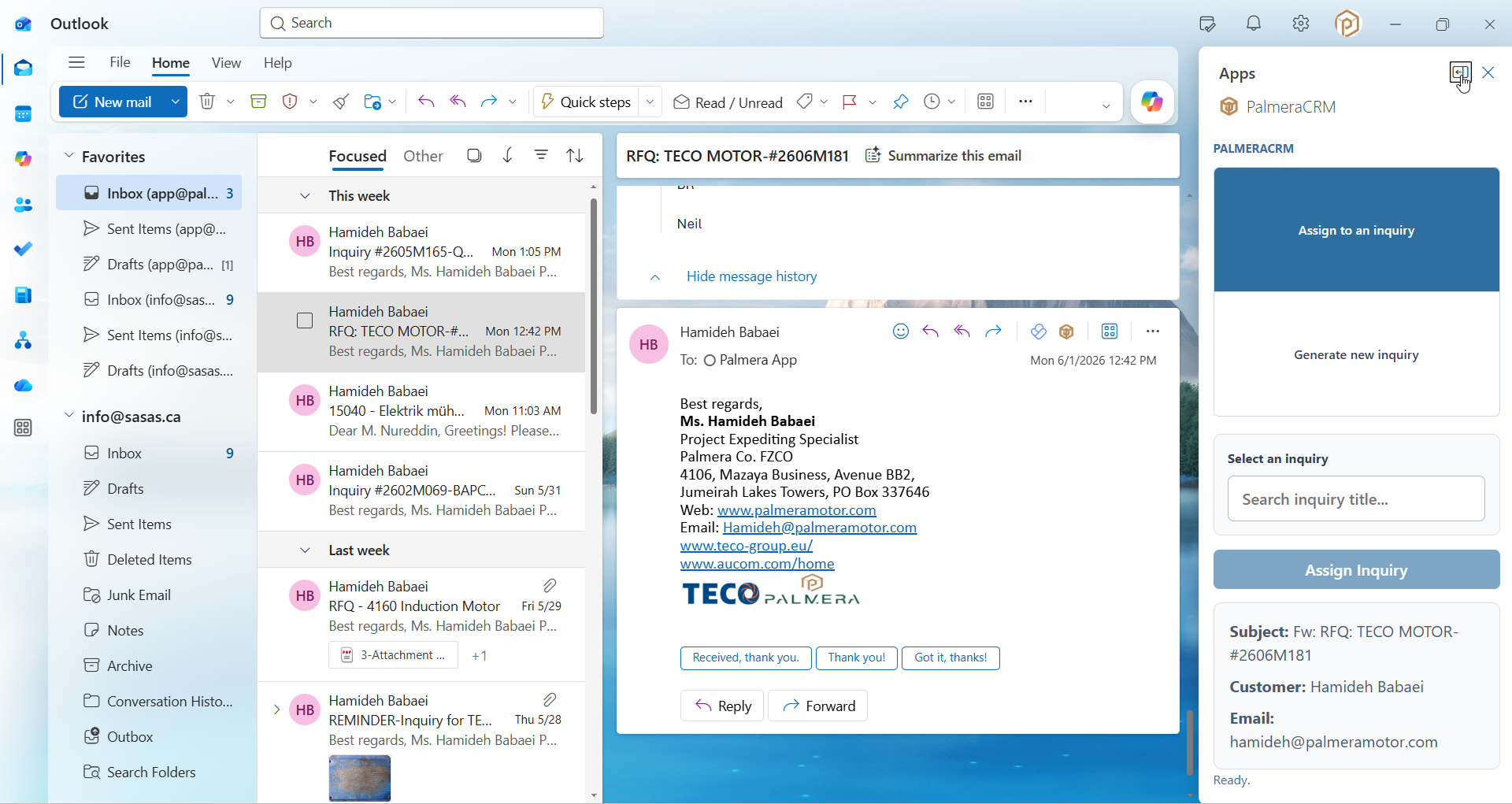
Users can work directly inside Outlook: generate an inquiry from an email with AI help, assign an email to an existing inquiry, and view an inquiry summary without leaving the inbox.
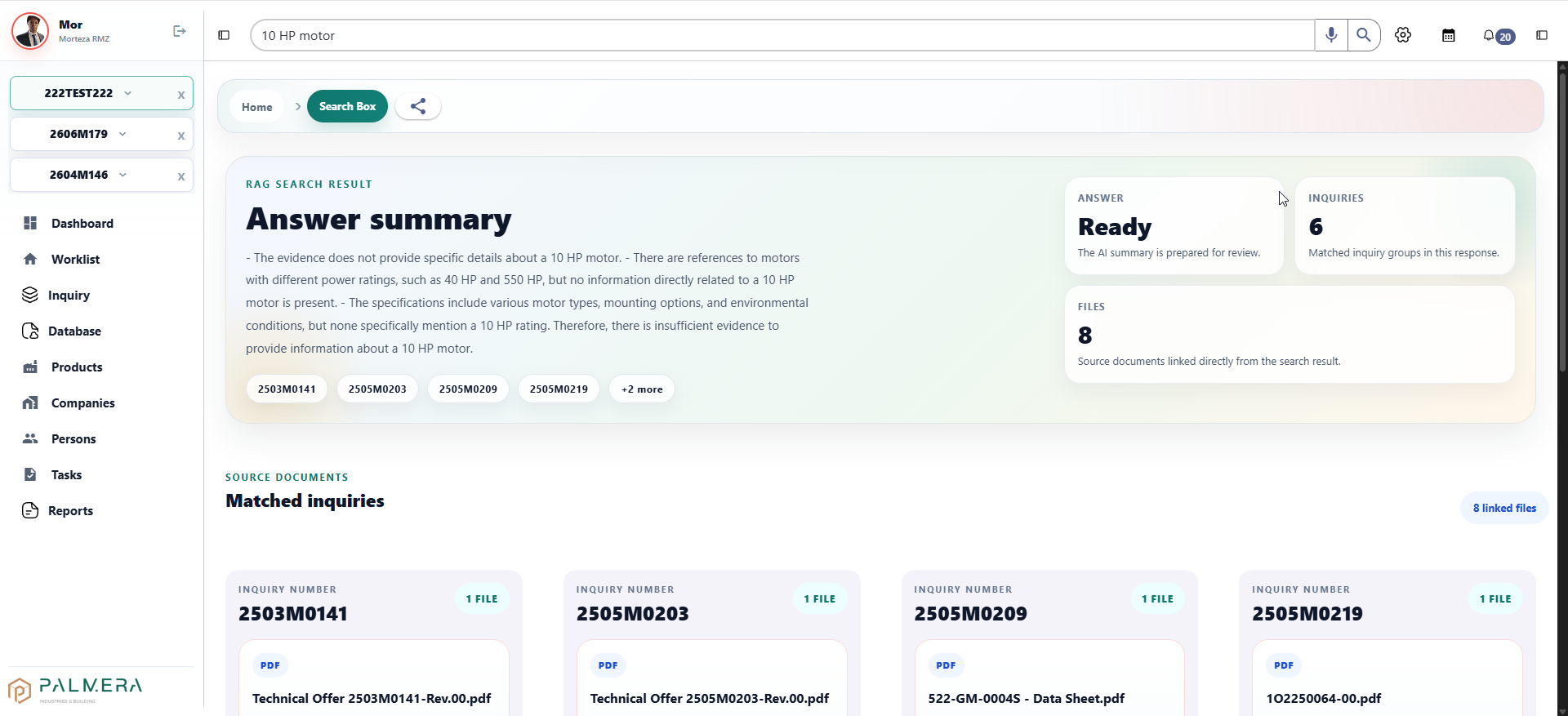
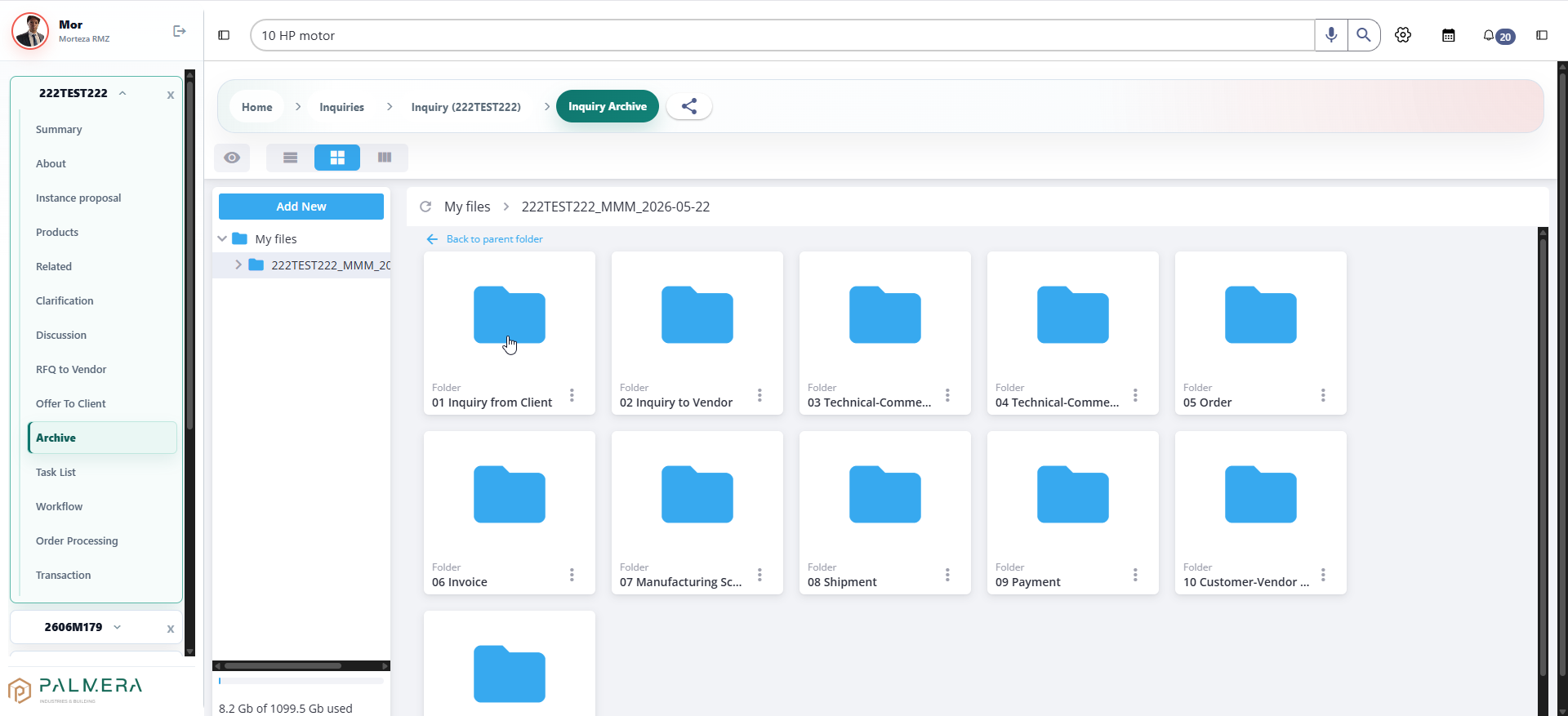
Inquiry files are organized in a OneDrive-backed archive, then indexed for RAG search so users can retrieve prior technical offers, datasheets, vendor files, and source documents from natural language queries.
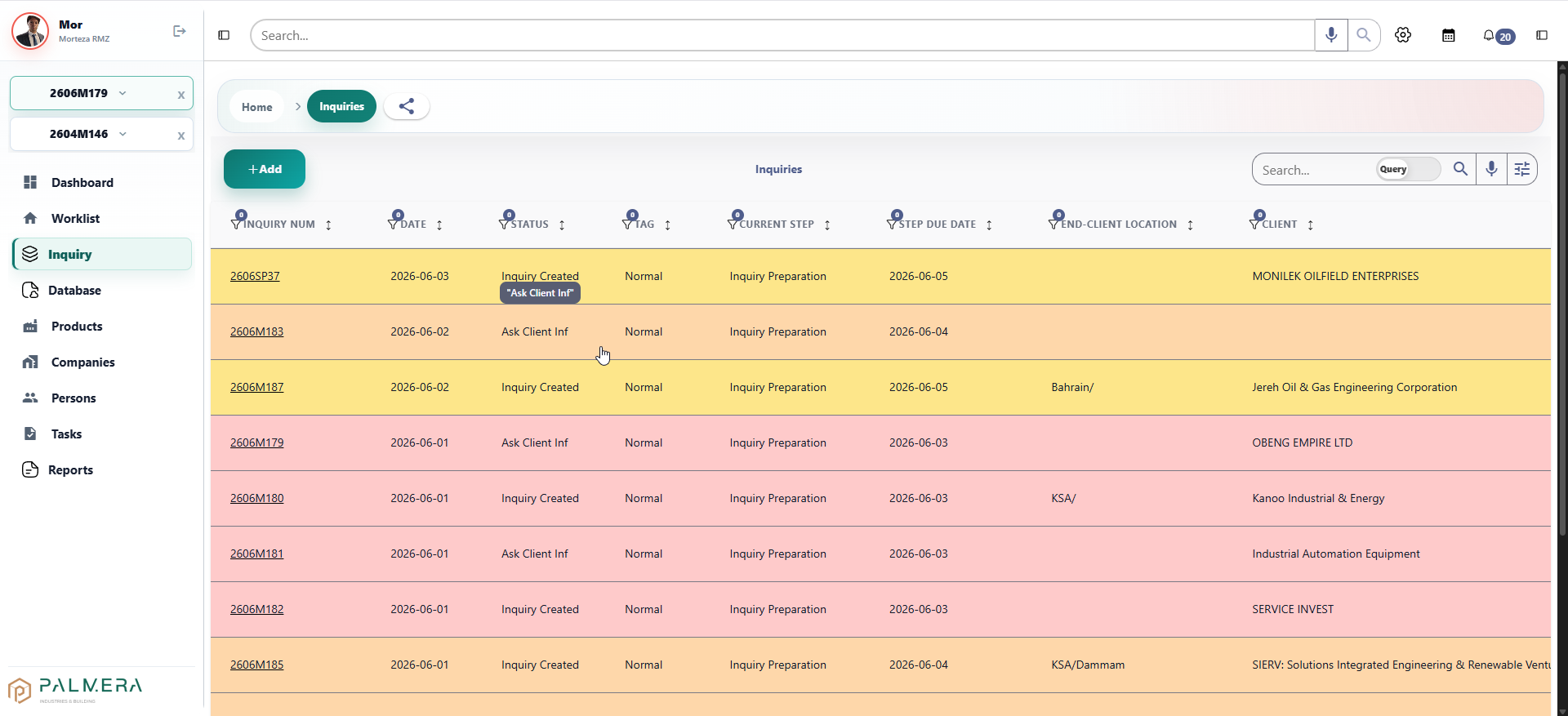
The RFQ list gives the team a live view of inquiry numbers, dates, statuses, tags, current workflow step, due date, end-client location, and client names.
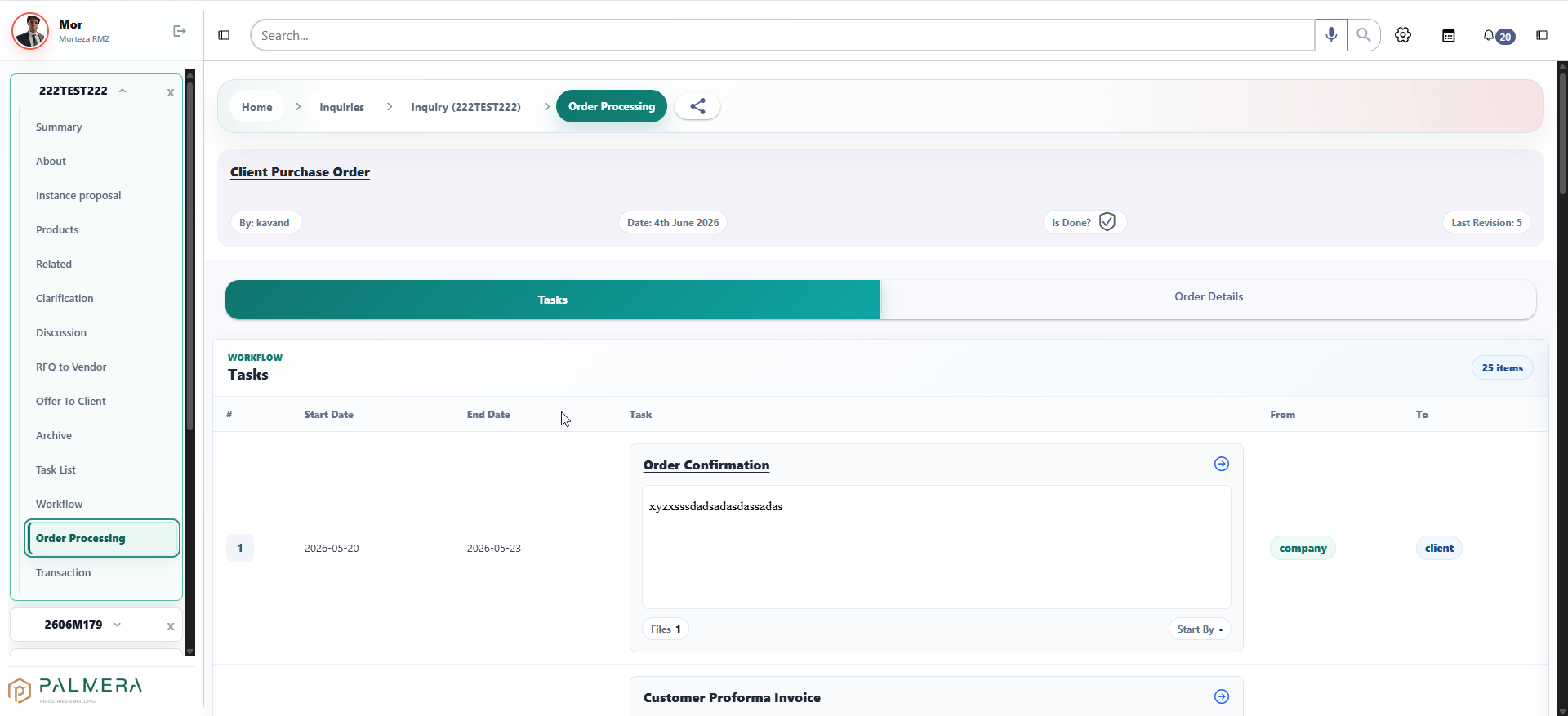
After a client PO is recorded, the order processing screen tracks workflow tasks, order confirmation, files, dates, revisions, and order details until shipment.
RAG search connects inquiry history, OneDrive files, PDFs, datasheets, and technical offers so users can ask questions and see matched inquiries plus linked source documents.
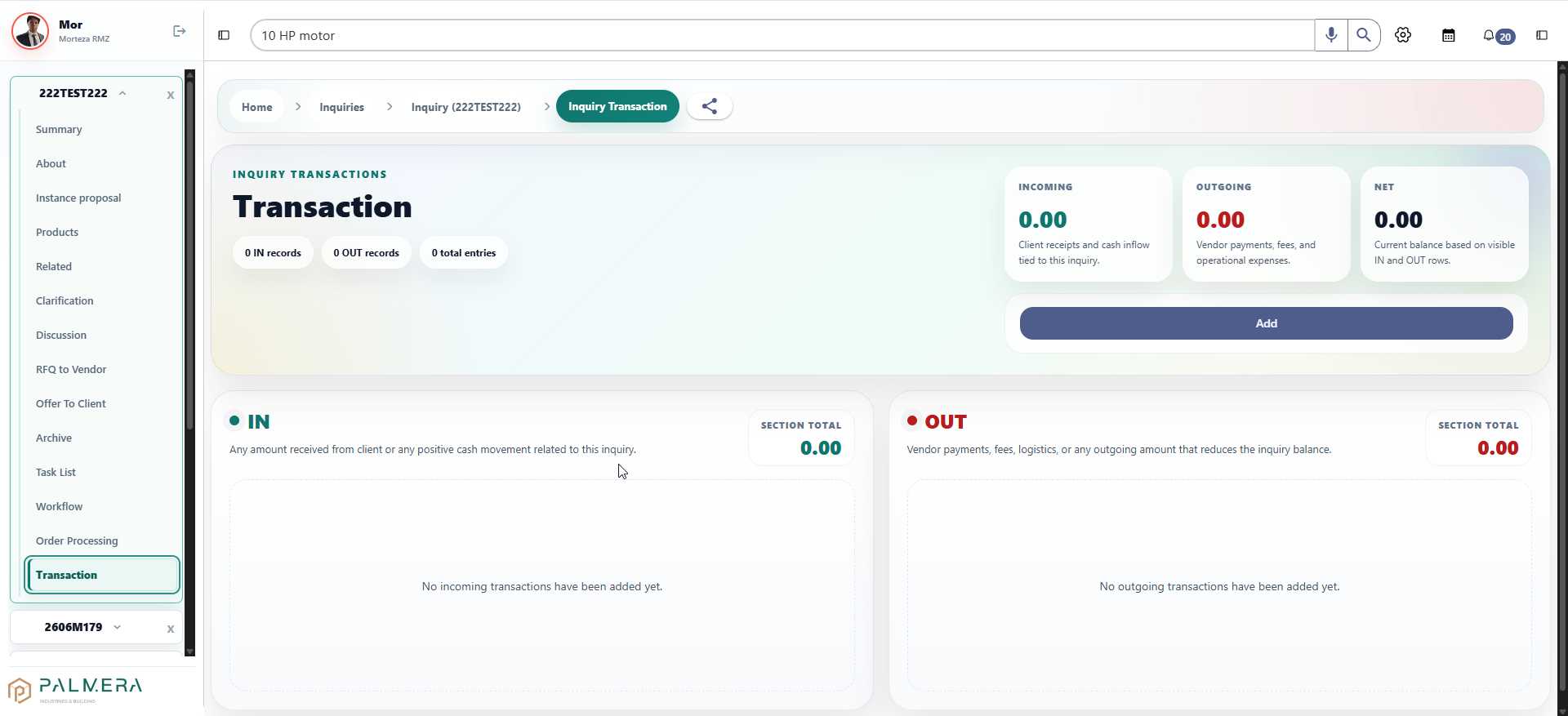
The transaction screen records incoming client receipts, outgoing vendor payments and logistics costs, and net balance for a specific inquiry.
The Outlook add-in lets a user generate a new inquiry from an email, assign an email to an existing inquiry, summarize message content with AI assistance, and keep customer communication attached to the RFQ record.
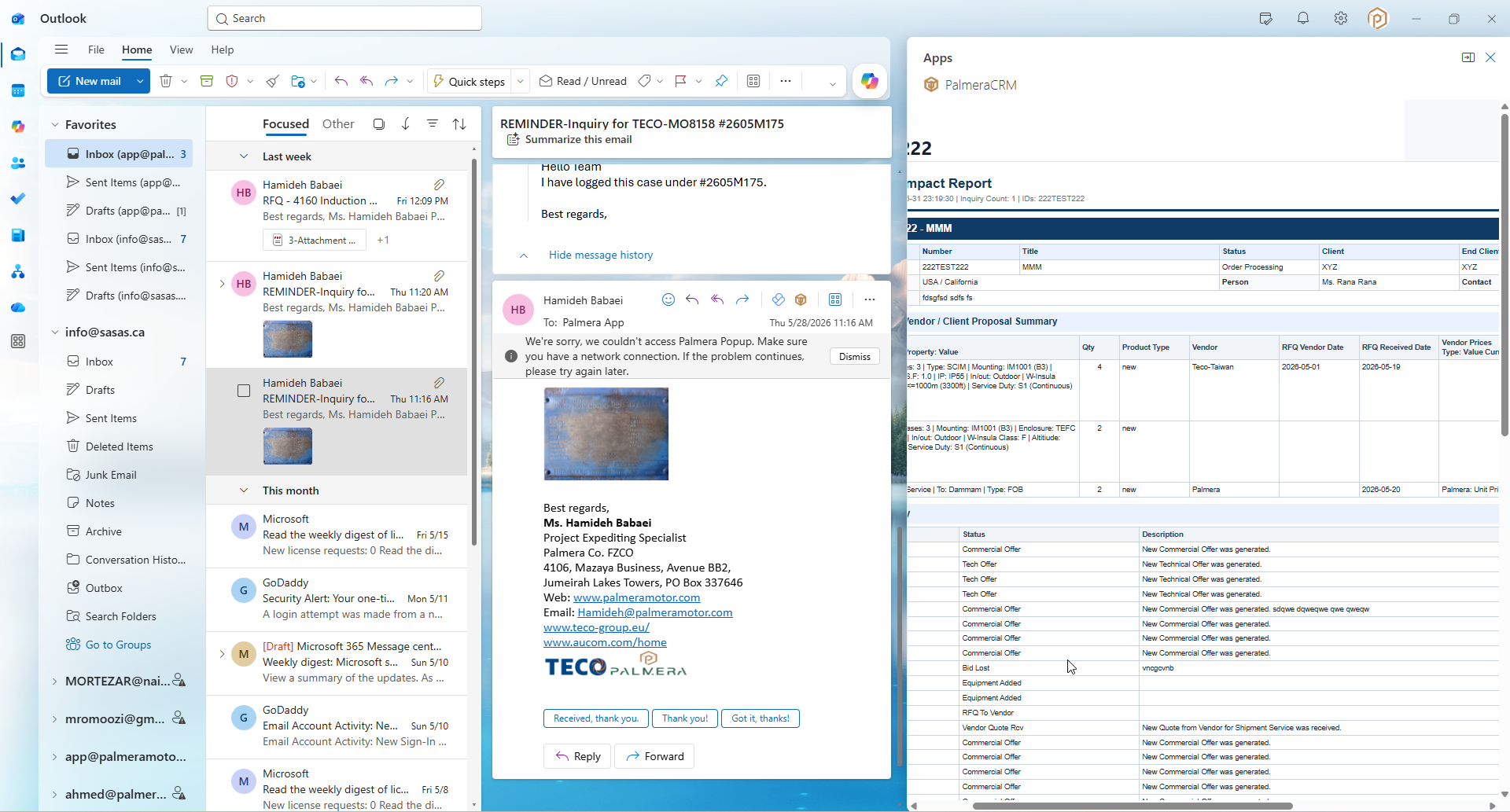
The add-in can surface inquiry summary and impact-report information directly inside Outlook, helping users review inquiry context while reading customer or vendor email.
Each inquiry has a structured OneDrive-backed archive for client requests, vendor RFQs, technical and commercial offers, orders, invoices, manufacturing documents, shipment files, payments, and related records.
The RFQ platform is a practical example of our model: study the real operation, replace fragile manual steps with a focused application, then keep improving the system as the business grows.